Driving Real-Time Engagement: How Databricks Powers Road2Summit Live Integrations

Co-author: Shreya Paul
The Problem: A Live Pipeline Nobody Could See
This is the last blog in the Road2Summit series. Layer 3 solved orchestration, with telemetry events landing in Delta Lake every 30 seconds, social posts mirrored from Lakebase to the gold schema every 30 minutes, and SQL Warehouse returning query results in under 2 seconds. However, none of these features were visible to website visitors. While technically sound, this platform lacked the experience layer and remained a backend infrastructure.
In Layer 4, we transformed that infrastructure into an interactive experience: people could query live data directly, comment, get feedback, and explore campaign intelligence for the journey in progress.
The Architecture: Three Engagement Channels
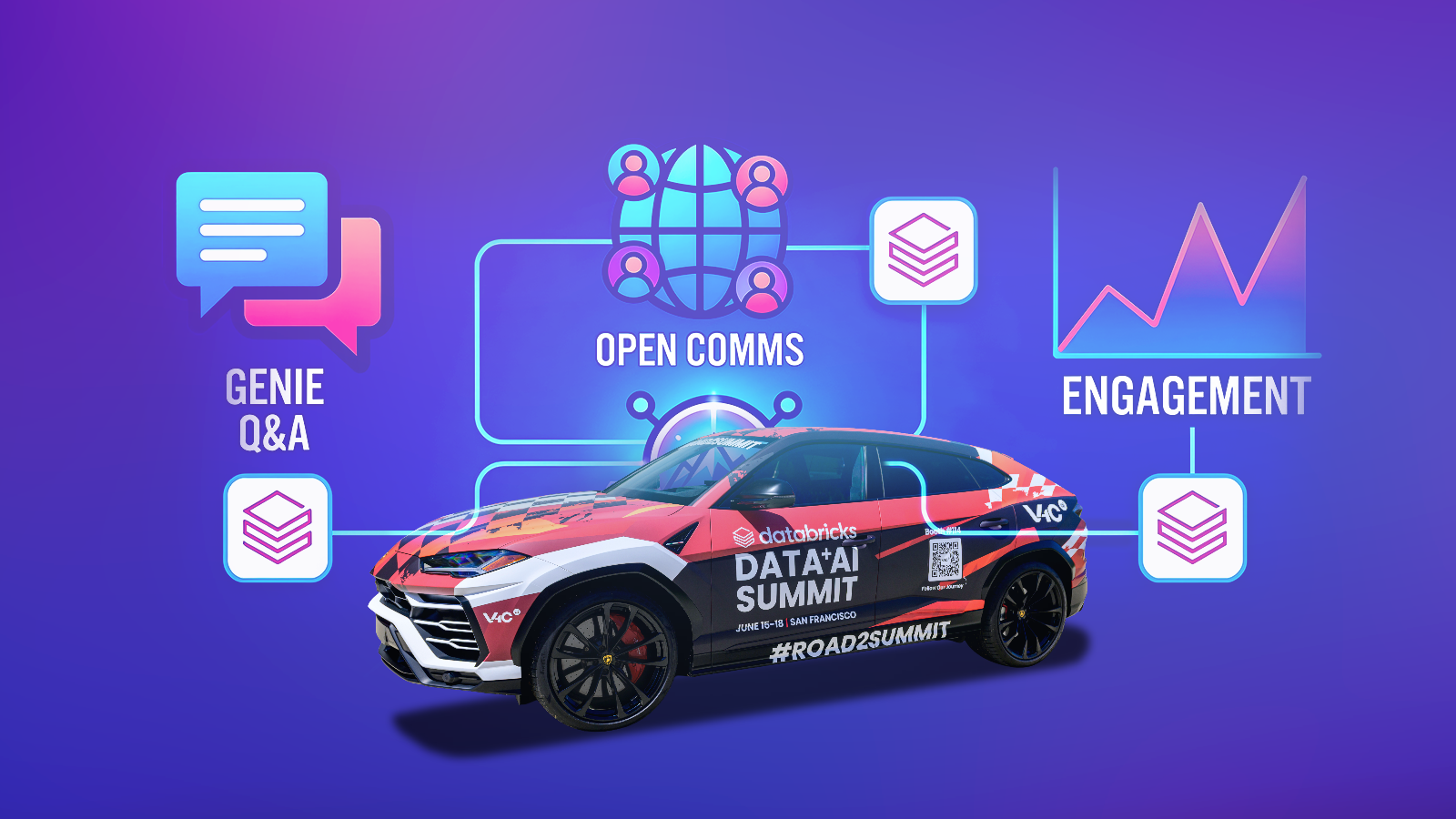
The live integration for Road2Summit has three distinct user experiences, each backed by a different part of the Databricks stack:
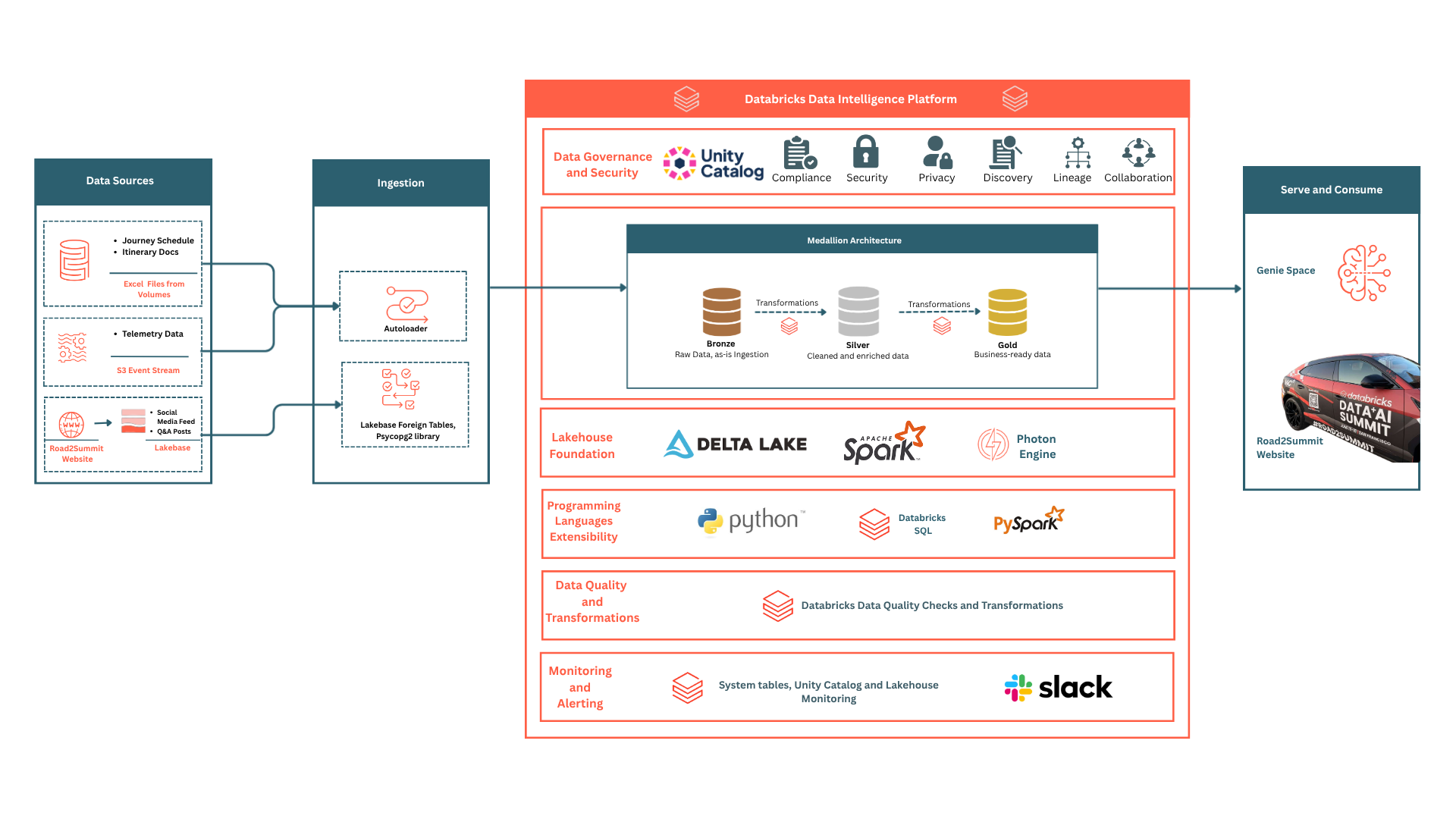
There’s no need to maintain extra infrastructure now. All features use the same workspace, FastAPI backend, and service principal.
Genie: A Conversational Interface Over Live Data
Most analytics dashboards only answer a fixed set of questions. If someone wants information that is not displayed, they cannot access it anywhere. Genie removes that constraint.
With Genie Space, visitors ask questions in plain language, and Genie translates them into SQL to retrieve answers from live Delta tables. For example, if a visitor asks 'Which city does the car reach today?', they get a real-time answer, even for questions the system was never explicitly designed to answer.
Connecting to the Genie REST API
Genie uses a two-step interaction model. The backend initiates a conversation and polls for completion. It polls the Genie message endpoint until the SQL Warehouse completes execution.
# FastAPI handler -- starts a new Genie conversation or continues an existing one
GENIE_SPACE_ID = os.getenv("GENIE_SPACE_ID", "<genie-space-id>")

async def query_genie(question: str, conversation_id: str | None):
    if not conversation_id:
        resp = _wc.api_client.do(
            "POST",
            f"/api/2.0/genie/spaces/{GENIE_SPACE_ID}/start-conversation",
            body={"content": question},
        )
    else:
        resp = _wc.api_client.do(
            "POST",
            f"/api/2.0/genie/spaces/{GENIE_SPACE_ID}"
            f"/conversations/{conversation_id}/messages",
            body={"content": question},
        )
    conv_id = resp.get("conversation_id") or conversation_id
    msg_id  = resp.get("message_id") or resp.get("id")

    # Poll until the SQL Warehouse finishes executing (max 60s)
    for _ in range(120):
        msg = _wc.api_client.do(
            "GET",
            f"/api/2.0/genie/spaces/{GENIE_SPACE_ID}"
            f"/conversations/{conv_id}/messages/{msg_id}",
        )
        if msg.get("status") == "COMPLETED":
            break
        await asyncio.sleep(0.5)

    # Skip the first attachment: Genie prepends a restatement of the question
    attachments = msg.get("attachments", [])
    texts = [a["text"]["content"] for a in attachments if "text" in a]
    answer = " ".join(texts[1:]) if len(texts) > 1 else (texts[0] if texts else "No answer.")
    return answer, conv_id
Key insight: The user's question is returned as the first text attachment, and the answer is returned as the second. Skipping the first attachment prevents the question from being displayed back to the visitor in the user interface (UI).
Threading Multi-Turn Conversations
Follow-up questions need context from previous answers. Genie manages that context on the server-side. The client stores and resends a single value:
// GenieBar.jsx -- store and thread conversation_id across messages
const [conversationId, setConversationId] = useState(null)

async function sendMessage(question) {
  const res = await fetch(`${API_BASE}/api/genie`, {
    method: 'POST',
    headers: { 'Content-Type': 'application/json' },
    body: JSON.stringify({ question, conversation_id: conversationId }),
  })
  const { answer, conversation_id } = await res.json()
  setConversationId(conversation_id)
  return answer
}
Key insight: Stateful conversations do not require custom session management on the front end. The client stores a single string, and Genie maintains the conversation history.
Open Comms: Public Q&A Backed by Lakebase
Not all visitor questions are answered automatically. Visitors submit questions on Open Comms, which are written to Lakebase. The public can view and engage with them, but only the moderators can review questions via the Streamlit dashboard and publish moderated responses.
Two independent flags (is_answered and is_visible) control the flow.
# POST /api/open-comms -- visitor submits a question
@app.post("/api/open-comms")
async def submit_question(req: Request):
    body = await req.json()
    conn = _get_lakebase_conn()
    cur = conn.cursor()
    cur.execute(
        """INSERT INTO public_qa
           (author_name, email, question_text, is_answered, is_visible)
           VALUES (%s, %s, %s, false, false)""",
        (body["author_name"], body.get("email", ""), body["question_text"]),
    )
    conn.commit()
    return {"status": "received"}

# GET /api/open-comms -- returns only answered and approved questions
@app.get("/api/open-comms")
def get_questions():
    conn = _get_lakebase_conn()
    cur = conn.cursor()
    cur.execute(
        """SELECT author_name, question_text, response_text, created_at
           FROM public_qa
           WHERE is_answered = true AND is_visible = true
           ORDER BY created_at DESC LIMIT 50"""
    )
    cols = [d[0] for d in cur.description]
    return {"items": [dict(zip(cols, row)) for row in cur.fetchall()]}
Key insight: By keeping the columns is_answered and is_visible separate, admins can review the response before it goes live.
Campaign Pulse: Social Intelligence in Real Time
The third engagement surface displays live updates on campaign activity. It shows posts that have the journey’s hashtags, how many people engaged with them, and who wrote them. This information comes from a social monitoring service. It goes into Lakebase every 30 minutes. The API then provides this data with a cache that stores it for 5 minutes to speed up loading.
# GET /api/social/feed -- serves visible social posts with 5-min cache
@app.get("/api/social/feed")
def get_social_feed():
    global _social_cache, _social_cache_ts
    if _social_cache and (time.time() - _social_cache_ts) < 300:
        return _social_cache

    conn = _get_lakebase_conn()
    cur = conn.cursor()
    cur.execute(
        """SELECT author_name, post_text, reactions, comments,
                  post_url, hashtag, scraped_at
           FROM social_posts
           WHERE is_visible = true
           ORDER BY scraped_at DESC LIMIT 50"""
    )
    cols = [d[0] for d in cur.description]
    posts = [dict(zip(cols, row)) for row in cur.fetchall()]
    result = {"posts": posts, "metrics": {"totalPosts": len(posts)}}
    _social_cache, _social_cache_ts = result, time.time()
    return result
Key insight: The feed updates every 30 minutes, with a 5-minute cache TTL, so the website never serves data more than 5 minutes behind the latest feed update.
How the Pieces Connect
- Visitor (GenieBar): POST /api/genie {question, conversation_id?} -> FastAPI -> Databricks Genie API -> Poll every 0.5s until COMPLETED -> SQL Warehouse executes NL-to-SQL against your_catalog.gold.journey_schedule and your_catalog.gold.social_posts -> Answer + conversation_id returned
- Visitor (Open Comms): POST /api/open-comms {question_text, author_name} -> FastAPI -> Lakebase public_qa (is_answered=false, is_visible=false) -> Admin sets response_text, is_answered=true, is_visible=true -> GET /api/open-comms -> answered visible rows -> site
- Campaign Pulse: Social monitoring service -> Lakebase social_posts (every 30 min) -> Scheduled Workflow -> your_catalog.gold.social_posts -> GET /api/social/feed -> 5-min in-memory cache -> SocialIntelligence.jsx
How You Can Build On This
Match the interface to the question type
Genie handles open-ended questions where the visitor determines what matters. A fixed dashboard handles known KPIs where you decide in advance what to show. Use Genie when the question set cannot be anticipated at build time.
Gate visibility at the database, not the API
Both Open Comms and the social feed use the is_visible flags in Lakebase. The API returns whatever the flag allows. Content moderation is a row update, not a deployment. Admin actions take effect on the next API poll without any code change.
Thread conversation state with one field
Stateful multi-turn AI does not require session middleware. Pass the Genie conversation_id from each response into the next request. The provider holds the conversation history. The client holds one string.
Cache at the application layer for low-frequency-update feeds
For data that updates on a predictable schedule, in-memory caching in the API process eliminates the need for Redis or a separate caching tier. Set the TTL below the update interval so data never appears more stale than the underlying refresh cycle.
Key Takeaways
- Databricks Genie translates natural language into SQL against live Delta tables; the question set is determined at query time, not build time.
- Genie prepends a restatement attachment to every response; skip the first text attachment to avoid echoing the question back to the visitor.
- Multi-turn Genie conversations require one client-side value: store and resend conversation_id on each follow-up request.
- Separating is_answered from is_visible enables a review step between writing a response and publishing it publicly.
- In-memory caching at the application layer handles low-frequency-update feeds without a separate caching service; set the TTL to a value below the update interval.
- One FastAPI backend, one Databricks workspace, and one service principal powered all three live engagement features simultaneously.
Recommended Reads
- Layer 1: Paving the Road2Summit: High-Speed Ingestion with Databricks
- Layer 2: Storage & Governance: Building the Unified Engine for Road2Summit
- Layer 3: The Efficiency Engine: Scaling Road2Summit through Balanced Power and Cost
- Road2Summit Tech Stack
- Databricks AI/BI Genie
- Databricks Lakebase Documentation
- Databricks SQL Warehouse Documentation
- Databricks SDK for Python
Ask Genie anything about the Road2Summit journey at road2summit.ai. It is running on exactly the stack described here.
More blog posts
.jpeg)


.avif)